Google Review Automation for Customer Request Workflows
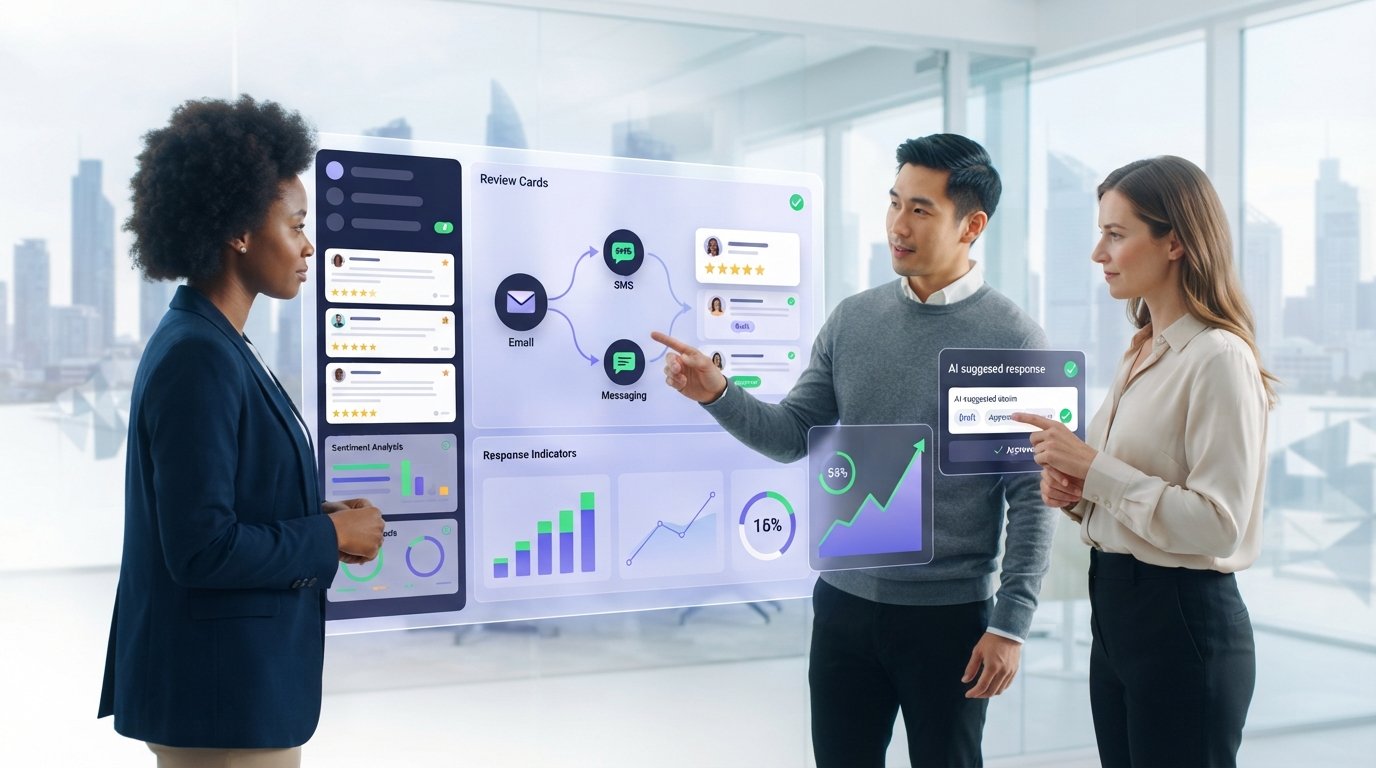
Review requests work best when they’re built into the customer workflow, not left as an afterthought. Google review automation software can send an invitation after a customer interaction through email, SMS, or WhatsApp. A clear, timely request makes it easier for customers to share honest feedback.
More requests don’t automatically mean better results. You need to see whether customers respond, how reviews are handled, and whether feedback reveals service patterns. That’s the difference between sending messages and running a workflow you can measure.
This guide explains how automated requests are triggered and delivered, how AI-assisted responses and multiple business profiles fit into review management, and which results to assess. You’ll also learn how review volume, recency, and customer comments can show progress without treating any single rating as the whole story.
Key Takeaways
- Build review requests into customer workflows and choose a delivery channel, such as email, SMS, or WhatsApp.
- Use AI-assisted replies to help manage feedback while keeping responses relevant to each customer’s experience.
- Bring reviews from multiple Google Business Profiles into a more manageable process, with clear ownership for follow-up.
- Assess more than your overall rating: review activity, customer feedback, and response patterns can reveal what’s changing.
- Explore how integrations connect review workflows with other tools your business already uses.
AI-generated review responses
AI can draft a response based on a review’s rating and written comments, so teams don’t have to start every reply from scratch. A good workflow still lets someone check accuracy, tone, and customer details before publishing.
Google reviews use a five-star rating, but the score alone doesn’t explain what happened. Look for response tools that distinguish the rating from the review text, surface new feedback through alerts, and show whether a reply is a draft or ready to post. Mobile alerts can help staff open a review and respond from a dashboard without waiting to return to a desktop.
Rating and Content Templates
Responses should reflect both the rating and the review content. A five-star review mentioning a helpful team member calls for a different reply than a low rating about a delayed appointment. Check whether the tool can acknowledge specific details instead of adding the same greeting and thank-you to every response.
Try a practical test: enter a two-star review with no written explanation. The response shouldn’t guess why the customer was unhappy. It can thank them for the feedback and invite them to share more details through an appropriate channel. Then test a detailed review and see whether the draft reflects what the customer actually said.
Positive and Negative Review Responses
Positive reviews deserve more than a copied “Thanks.” A useful reply can mention a specific detail, such as a smooth check-in or a helpful staff member. For negative reviews, the response should recognize the concern, stay professional, and avoid arguing with the reviewer in public.
Compare how the AI handles both ends of the rating scale. Review Google’s policies and make sure each published reply is truthful and comes from the business. If a complaint involves private account or personal details, leave them out of the public response and continue the conversation through a suitable private channel.
Personalized Automated Replies
Personalization means using relevant details, not just a customer’s name. A café’s reply could acknowledge a comment about a specific drink; a hotel’s could address feedback about check-in. The tool should use details in the review and avoid adding facts the customer didn’t share.
Before adopting a workflow, review several generated replies in the dashboard. Check names, service details, tone, and whether each response fits the rating and review. Set a clear human approval step for sensitive or unclear feedback. This keeps automation useful while giving staff control over what the business says publicly.
Centralized management for reviews across multiple Google Business Profiles
For a US small business, prioritize a platform that brings Google Business Profile reviews into one workspace and supports clear oversight of responses. The right fit depends on your locations, staff workflow, and the tools you already use.
Replies in Your Brand Voice
A shared dashboard can help teams keep replies consistent across locations without making every response sound identical. Set practical voice guidelines, such as warm and concise, then compare replies from different branches. A Seattle café might thank a customer for mentioning its staff, while a Miami café uses the same tone and acknowledges its own service details.
Check whether managers can review drafts and adjust wording before publication. A central team might handle unusual complaints, while local staff respond to specific service feedback. That division keeps the brand voice recognizable and lets each reply address the customer’s actual experience.
Google Reviews and Local Reputation
Google reviews shape what potential customers see when they assess a nearby business. In the United States, 81% of online users use Google to check out local businesses. Reviews also influence 88% of customers in discovering and patronizing local businesses. Those figures make profile oversight a practical reputation task, not just an inbox chore.
For a business with several locations, one profile can’t show the whole picture. Compare review themes across branches: customers might praise one location’s scheduling but flag another’s communication. Use those patterns to guide service follow-up, then respond to each review with details relevant to that location.
When comparing software, check how it connects to each Google Business Profile and keeps location records distinct. Managers should be able to identify which branch received a review before assigning a reply. Look for useful controls such as location filters, staff access, and a clear response status. These features reduce the risk of replying from the wrong profile or overlooking a branch’s feedback.
Consider how the platform fits with your existing customer and communication tools. A dental group, for example, may want review activity organized by clinic, while a restaurant group needs separate visibility for each venue. Integration is useful when it carries information into a familiar workflow without blurring location ownership or making follow-up harder.
Small operators need the same clarity, even with one profile today. Choose a system that can support your current routine and make review oversight manageable if another location opens. A useful first step is listing who monitors reviews, who responds, and how unresolved feedback reaches the right person. Explore review management workflows as you compare how centralized tools could fit your process.
How do review requests get sent automatically?
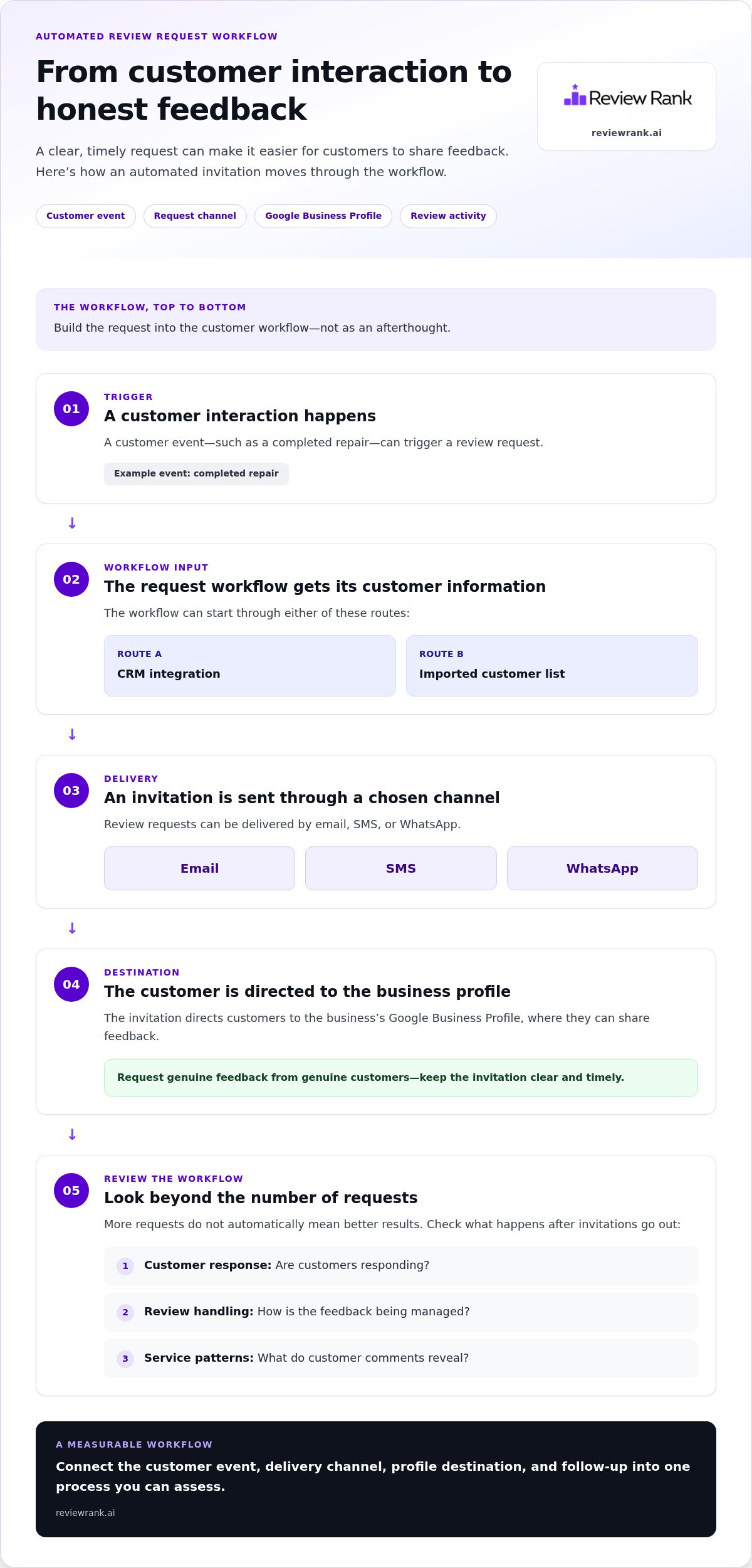
Google review automation software connects a customer event, such as a completed repair, to a request sent by SMS, email, or WhatsApp. The workflow can start with a CRM integration or an imported customer list, then direct customers to the business’s Google Business Profile.
Google publishes review policies, and businesses should ask genuine customers for honest feedback, never fabricate reviews. Keep requests neutral and don’t offer an incentive in exchange for a particular rating. In the United States, privacy and consent obligations can depend on the channel, customer relationship, and applicable state rules, so build permission, opt-outs, and limited data use into the workflow.
Customer List Uploads
A customer-list workflow starts with a file containing the contact details needed for delivery and any relevant location or transaction information. Before uploading it, remove duplicate records and map each field to the right profile or branch. For example, a plumbing company can connect a completed job to the customer’s service location so the request refers to the right business.
Check how the platform handles missing contact details, duplicate customers, and failed sends. When a repair shop uploads a list, it should be able to identify records that need correction instead of sending repeated requests to the same person.
SMS Review Requests
SMS puts a review invitation directly on a customer’s phone. A repair business might trigger a short message after marking a job complete, with a direct link to its Google Business Profile. Keep the message recognizable and brief, and make the requested action clear.
Review the send conditions before launch: which customer event triggers the text, which number receives it, and how opt-outs are handled. Email and WhatsApp can serve as alternatives when they fit customers’ communication preferences.
Request Setup and Sending
Set up the workflow by connecting the CRM or service system, selecting a completion trigger, choosing a channel, and assigning the correct profile. For example, closing a repair ticket can trigger a request once the work is complete. Match the timing to the service: send the request after the repair, not while the customer is still waiting.
Test the full process with a sample record. Confirm that the right location, message, and review link appear. Then monitor delivery and responses in the review management dashboard, and adjust the trigger if requests arrive before the customer experience ends.
Policies, Privacy, and Consent
Build requests around genuine transactions and honest feedback. Don’t invite only customers you expect to leave positive reviews, and don’t ask customers to change a rating in exchange for a reward. A neutral request lets each customer decide what to say.
For US workflows, document how contact details enter the system, limit access to staff who need them, and honor opt-outs. Review consent requirements by channel before sending SMS or email, and keep customer data tied to its review purpose. These safeguards make the process clearer for both customers and staff.
Benefits of review automation
Automation makes review requests and replies repeatable. The benefit isn’t simply more activity; it’s a clearer view of customer feedback, fewer manual steps, and a more organized way to manage each business profile.
Time is one practical benefit. A manual review response usually takes 15 minutes. Across a steady flow of feedback, drafting replies one by one can pull staff away from service, scheduling, or follow-up. Automation can generate a starting draft and organize incoming reviews, leaving people to check details and handle sensitive cases.
Consistency matters, too. A restaurant group can set a shared response tone while letting each location address its own customer comments. Customers get a recognizable experience across profiles without identical replies. Staff can also use recurring feedback to spot patterns, such as repeated praise for a helpful team or concerns about appointment scheduling.
Review activity can help customers assess a business before choosing it. About half of customers are willing to travel farther and pay more to buy from a business with higher reviews. A current, carefully managed profile can therefore inform their decision, though review automation itself doesn’t guarantee a stronger rating or more customers.
For local businesses, a steady request process can shorten the gap between completing a service and inviting the customer to share feedback. A car repair shop, for example, can build the request into its job-completion workflow. This helps the team collect feedback from everyday transactions instead of relying on staff to remember to ask.
Automation also makes review management easier to measure. Track whether requests are sent, whether customers respond, how quickly the business replies, and which themes recur. Compare those signals over time and by location. If a branch receives repeated comments about unclear updates, managers have a specific service issue to investigate.
- Save staff effort: automate routine sending and draft preparation, while keeping human review for sensitive replies.
- Strengthen online presence: maintain active business profiles with a more consistent request and response process.
- Surface useful feedback: group recurring comments so teams can identify service issues and customer preferences.
Automation works best when it supports real customer experiences. A thoughtful request, accurate reply, and practical follow-up can help a business profile reflect its service. Measure the workflow, not just the rating, and use customer comments to guide the next operational improvement.
Review collection results and customer testimonials
Review totals matter, but they don’t tell the whole story. Assess collection results alongside ratings, recency, customer comments, and connections to business outcomes. A strong review workflow makes these signals easier to track and act on.
Start with collection activity. Compare the number of requests sent with the number of customers who leave reviews, then examine changes over time. Separate results by location, channel, or service type where possible. For example, a multi-location clinic can compare feedback across branches and spot comments about scheduling or staff communication.
Next, look beyond the overall rating. A business with a 4.9-star average and 12 reviews presents a different amount of public feedback than one with a 4.7-star average and 486 reviews. Neither figure alone proves service quality. Review volume, recent activity, and the substance of customer comments provide useful context for interpreting the rating.
Reported business examples show why measurement needs context. ScreenFixing was on track to reach 1,000 total reviews before the end of the year described in its case study. That milestone illustrates collection volume, but it doesn’t show how customers responded or whether reviews affected sales. Track those outcomes separately rather than treating a growing total as the finish line.
Customer testimonials can offer another signal, especially when they describe how reviews influenced a decision. Two customers shared that reason; one spent $3,000 and the other $1,000. This is a reported example, not proof that reviews alone caused each purchase.
Use a consistent review-results check:
- Collection: Compare requests sent with reviews received, by location or channel.
- Freshness: Note when the latest review appeared and whether feedback is continuing.
- Quality: Read comments for specific praise, recurring friction, and service details.
- Business signals: Record customer-reported visits or purchases linked to reviews separately.
Testimonials become more useful when they include a clear customer experience, not just a star rating. A hotel guest describing a smooth check-in gives the team actionable feedback and future guests a concrete detail. Collect feedback consistently, respond appropriately, and review patterns with staff. Explore review collection and feedback workflows to see how those signals can support your process.
Review Rank Ai: Automated Review Invites
Review Rank Ai helps businesses make review collection and follow-up part of a repeatable workflow. Automated Review Invites can send requests through SMS, email, or WhatsApp, while AI-Generated Review Responses help manage customer feedback. Businesses can also use Negative Feedback Filtering and a Google Local 3-Pack Leaderboard to support reputation monitoring and track local ranking performance.
It’s a practical next step if manual follow-up is inconsistent, multiple profiles need attention, or teams want a clearer view of customer feedback. Review the workflow against your needs, including how requests reach customers, how replies are handled, and what results you’ll monitor, then visit Review Rank Ai to explore how it could fit your process.
Turn your review workflow into a lasting advantage
Make review activity part of your team’s routine. Decide who owns each stage, from the customer interaction that triggers a request to the person responsible for reviewing feedback. Then define what you’ll measure, such as request activity, response consistency, and recurring customer themes.
Choosing google review automation software is only the start. The stronger choice is a workflow that fits your customer journey and helps your team act on what customers share. Review Rank Ai offers Automated Review Invites, AI-Generated Review Responses, and a Google Local 3-Pack Leaderboard. These tools support request handling, review replies, and local ranking monitoring.
Get a clear picture of your current process before making changes. Identify handoffs that slow the team down, decide where human review matters, and assign clear ownership of review work. This gives you a practical foundation for improving the customer experience while keeping public responses thoughtful and relevant.
Contact Review Rank Ai to discuss review automation and explore a workflow that fits your business. Start with one clear process, build from what you learn, and keep moving forward.
Frequently Asked Questions
How do you know which employee or location earned a review?
Match each review request to the appointment or transaction record, then use that record to guide follow-up. For example, a salon manager can compare a review’s timing with the booking calendar and location assignment. A public review may not identify an employee, so timing alone isn’t proof. Use internal service records to route praise or concerns appropriately, and don’t name an employee in a public reply unless the customer did.
How long does it take to set up?
Setup depends on your existing records, profile access, and intended workflow. A business with clean customer records can start by connecting its profile and mapping the fields needed for requests. A multi-branch company also needs to assign each record to the right location. Test with a small internal sample, confirm messages and profile routing, then expand once the process works as intended.
What happens if I do not observe an increase in the number of reviews I am already receiving?
Review the steps between a completed service and a published review. Check whether customer records have usable contact details, invitations reach the intended customers, and links point to the correct profile. A home-services team, for example, could compare completed jobs with sent invitations to find gaps. Check that requests are clear and easy to act on, then adjust the workflow before changing several things at once.
Will an automated reply sound like a robot?
It may if every response uses identical wording or ignores the review’s details. To assess tone, compare drafts for different situations, such as a customer praising a specific employee and one describing a billing concern. Check whether each reply sounds like your business and accurately reflects the review. Keep staff review available for unusual or sensitive feedback, where a generic response could make things worse.
Which Google review automation tools integrate with Google Business Profile, CRM, and POS systems?
Review Rank Ai supports Google Business Profile, CRM sync, and customer import. CRM sync or an imported customer file can provide contact and transaction context for review workflows. Map records to the correct business profile or location so each customer interaction is associated with the right place. POS connections vary by platform, so don’t assume a register sends transaction data automatically. Confirm the data handoff your workflow needs before setting it up.
How do businesses automate Google review requests by SMS and email?
Automated requests use a customer record and a defined workflow to send an invitation through the selected channel. A fitness studio, for example, can use a completed class booking to prepare a follow-up message. Before sending, check that the contact record is current, the message identifies the business, and the review destination is correct. Businesses can use WhatsApp where it fits their workflow, alongside SMS and email.
Can businesses automate replies to Google reviews, and what are the risks?
Yes. Automated tools can generate AI-assisted reply drafts for Google reviews, while staff retain control over what gets published. Risks include inaccurate details, an overly familiar tone, or a reply that misses the customer’s actual concern. A response to a complaint about a delayed order, for example, shouldn’t claim the issue was resolved unless it was. Review drafts carefully, especially when feedback involves a dispute or sensitive details.
How do Google review automation platforms handle negative reviews and customer feedback?
They can organize negative feedback for staff review, response, and internal follow-up. A property manager, for example, could route a maintenance-delay complaint to the team responsible for that building. Keep public replies factual and don’t disclose private customer information. Look for recurring topics across feedback to identify operational issues that need attention. A tool can support this process, but staff still need to assess the context and decide what action is appropriate.